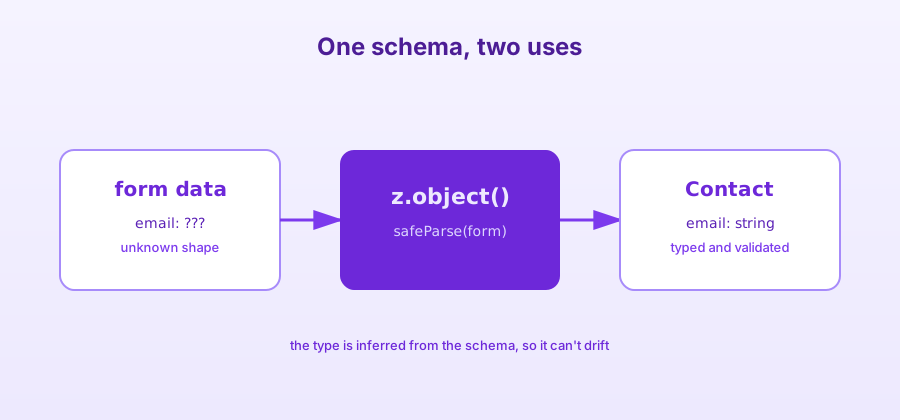
TypeScript checks types at compile time, not at runtime. As soon as data comes from the outside, like a form or an API response, nothing guarantees it has the shape you expect. Zod fills that gap: you describe a schema once, and derive both the validation and the type from it.
One schema, two uses
import { z } from 'zod';

export const contactSchema = z.object({
    email: z.string().email('Invalid email address'),
    message: z.string().min(10, 'Message too short').max(1000),
});

export type Contact = z.infer<typeof contactSchema>;
Contact is inferred from the schema: it can't drift away from the validation.
In a SvelteKit form action
import { fail } from '@sveltejs/kit';
import { contactSchema } from '$lib/schemas';
import type { Actions } from './$types';

export const actions: Actions = {
    default: async ({ request }) => {
        const form = Object.fromEntries(await request.formData());
        const result = contactSchema.safeParse(form);

        if (!result.success) {
            return fail(400, { errors: result.error.flatten().fieldErrors });
        }

        // result.data is typed as Contact here
        return { success: true };
    },
};
Why safeParse over parse
| Method | Behavior on error | Use |
|---|---|---|
parse |
Throws an exception | When invalid data is a bug |
safeParse |
Returns { success: false } |
User input, forms |
Any data that crosses a boundary of your program (a form, an HTTP request, a file, an environment variable) deserves a schema. What stays inside, already validated, can rely on TypeScript alone.
A basic rule of validation
Takeaways
- Define one schema per form, in
$lib, so it can be reused on the client - Display
errorsnext to each field - Always validate on the server, even if the client already did
Client-side validation improves the experience, but only the server's validation truly protects you.